
Table of Contents
- The Power of Mode Transitions in Session Sets
- What is the Mode Transition Detail Tool?
- Anatomy of the Interactive Flow Chart
- A Guide to the Filters & Sliders
- Musical Case Studies: Classic Tonal Pathways
- Connecting to the Interactive Setlist Player
- Conclusion: Elevating Your Repertoire
- Frequently Asked Questions
The Power of Mode Transitions in Session Sets
In traditional Irish and folk music, tunes are rarely played in isolation. Instead, musicians group them into sets of two, three, or four tunes. The moment when one tune finishes and the next begins—the transition—is a critical musical threshold.
While keeping the same key signature throughout a set is common and safe, changing keys or modes (e.g., from D Major to G Major, or E Dorian to D Major) is a time-tested technique to inject energy, create harmonic contrast, or resolve melodic tension. Understanding how to handle these tonal transitions is what separates a standard session from an unforgettable one.
What is the Mode Transition Detail Tool?
The Mode Transition Detail tool is a data-driven interface built to help you explore how specific mode-to-mode flows behave across thousands of user-created sets. Whether you are curious about transitioning from an A Mixolydian tune to a G Major tune, or want to know what follows E Dorian, this tool zooms into the exact tune pairings observed in the wild.
By combining D3-based flow diagrams with dynamic sheet music rendering, the tool takes the guesswork out of set building. It reveals the exact tunes that bridge different tonalities, backed by statistics from session archives.
Anatomy of the Interactive Flow Chart
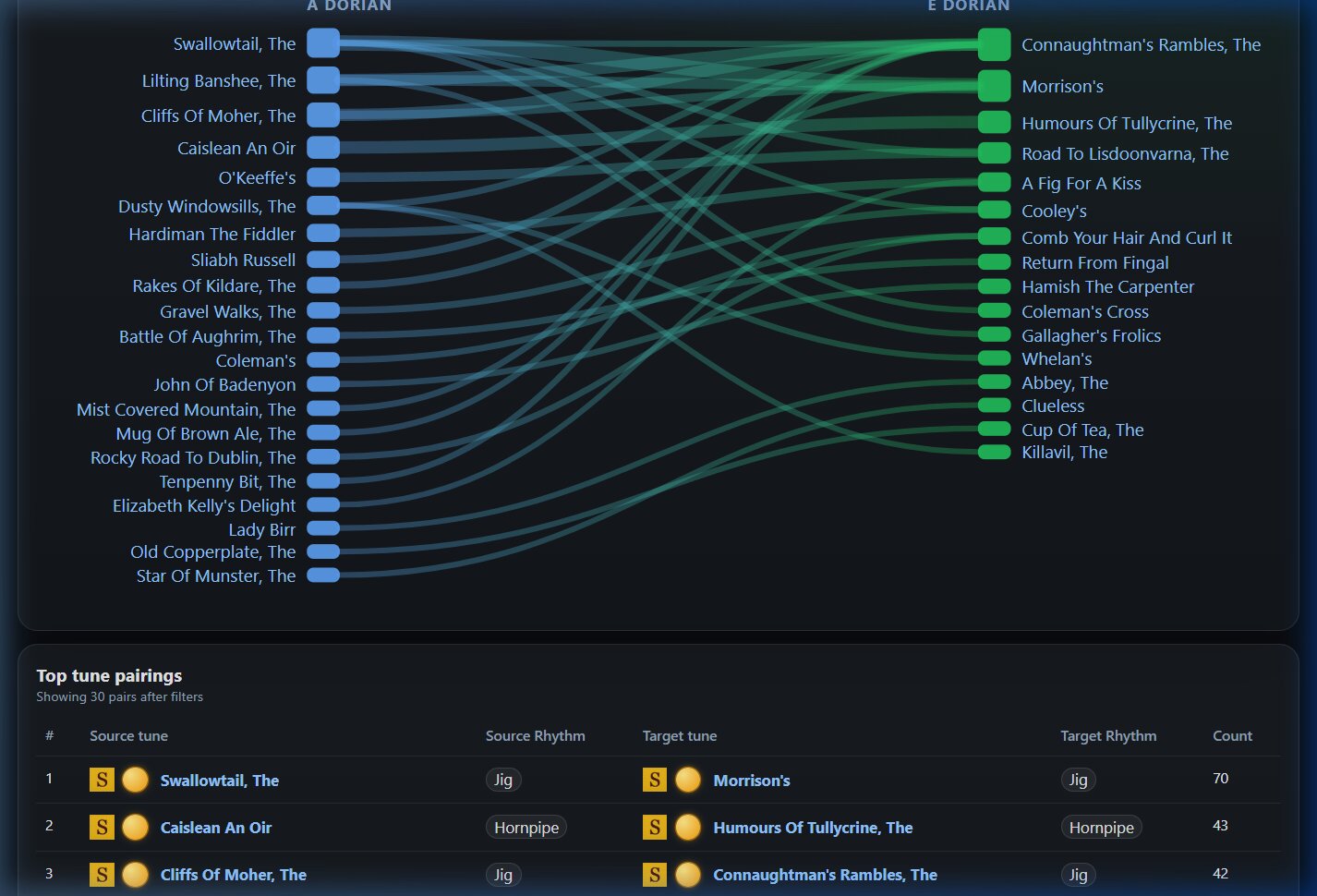
The core of the tool is a bidirectional flow diagram that visualizes the connections between tunes:
- The Columns: The left column represents the source tunes (the opening tunes in the transition, set to the source mode). The right column represents the target tunes (the follow-on tunes, set to the target mode).
- Connecting Ribbons: The curved bands connecting left and right nodes show the transition flow. The thickness of the ribbon represents the frequency (popularity) of that specific tune transition.
-
Interactive Hover & Selection:
- Hovering over a tune node's square box highlights all its connected flows and shows its total transition count and rhythm type.
- Clicking a tune node's box locks the selection. When selected, the node gets a distinct highlight border and all unrelated transition lines and other nodes are dimmed. This makes it incredibly easy to move your cursor over and click on specific transition ribbons without losing your focus. Click the background to clear the selection.
- Hovering over a connecting ribbon highlights that specific path and displays a popup showing the
musical incipits (opening measures) of both tunes, rendered dynamically in sheet music using
abcjs!
A Guide to the Filters & Sliders
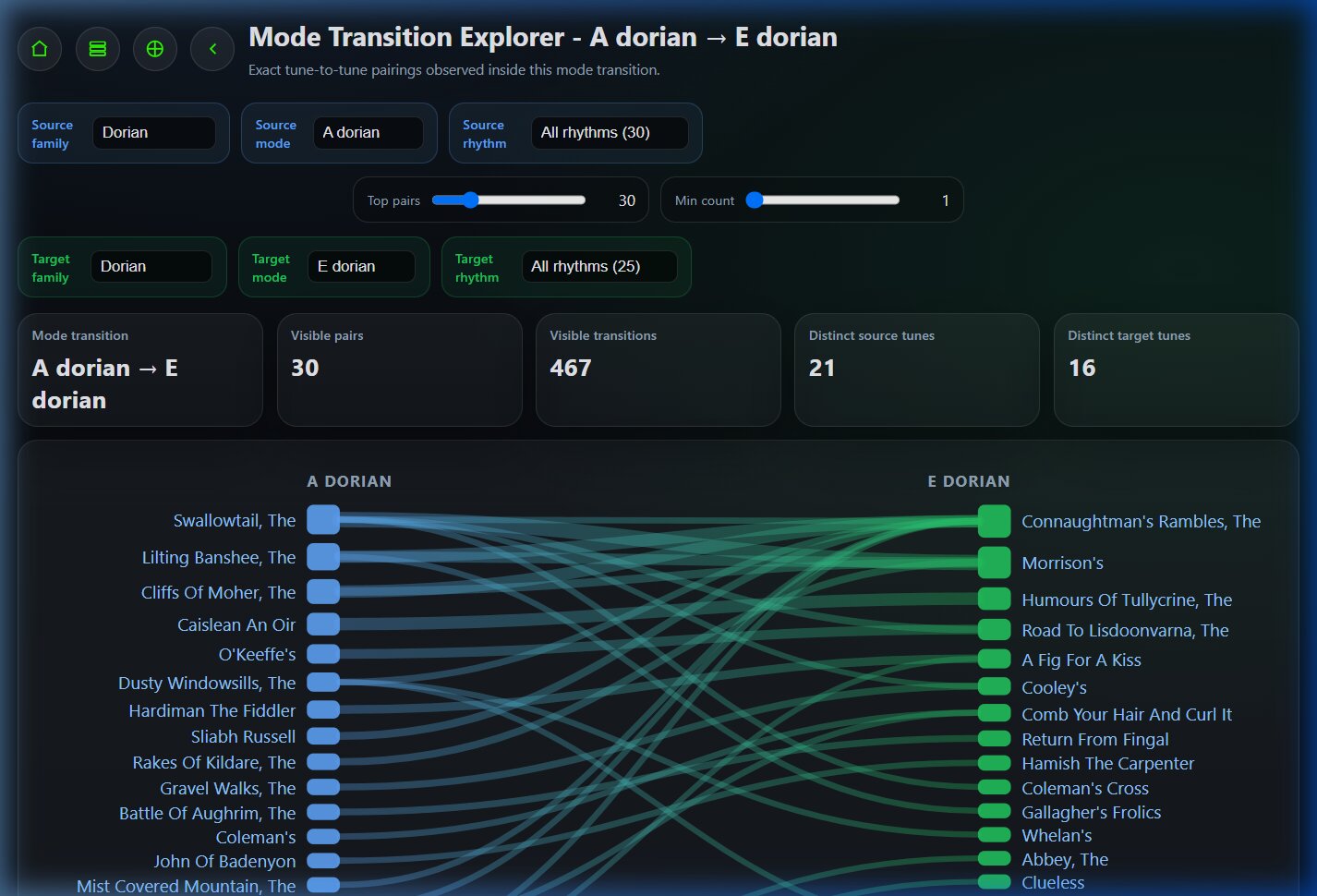
To help you refine your exploration, the tool includes an advanced, color-coded control panel at the top:
- Source Controls (Blue Tint): Located on the left, these let you filter the starting family (e.g., Mixolydian) and key (e.g., A Mixolydian). It also includes a Source Rhythm filter to narrow down the source tunes to jigs, reels, hornpipes, etc.
- Target Controls (Green Tint): Located on the right, these let you choose the target family (e.g., Major) and key (e.g., G Major). It also includes a Target Rhythm filter to restrict target tunes to a specific rhythm.
-
Dynamic Counts & Cross-Filtering: Both rhythm dropdowns show the number of distinct
tunes currently visible for each rhythm option (e.g.,
Reel (12)) and are sorted by count. They dynamically cross-filter each other: selectingJigon the left will immediately restrict the target rhythm dropdown on the right to only show target rhythms available from jigs and update their counts to show the remaining counts. -
Sliders (Centered):
- Top Pairs: Limits the diagram to the top N transitions (default 30) to prevent clutter.
- Min Count: Filters out rare combinations, showing only transitions logged multiple times.
Musical Case Studies: Classic Tonal Pathways
Let's look at a few examples of mode transitions that are highly popular in sessions, and how the tool helps you analyze them:
A Mixolydian (A, B, C#, D, E, F#, G) and G Major (G, A, B, C, D, E, F#) share the exact same notes. Because they have the same key signature, moving from A Mixolydian to G Major is incredibly smooth, but shifting the tonal center down a whole tone to G gives a satisfying feeling of release.
Hovering over the ribbon between these two tunes in the tool renders the sheet music incipits instantly. You can easily see how the opening motifs lock together.
E Dorian (E, F#, G, A, B, C#, D) shares its key signature with D Major (D, E, F#, G, A, B, C#). Transitioning from a driving E Dorian tune into a bright D Major tune is a staple of Irish session playing, providing a lifting energy boost without jarring the ear.
Connecting to the Interactive Setlist Player
One of the most powerful features of the Mode Transition Detail tool is its integration with the
Setlist Player (thesession-setlist.html).
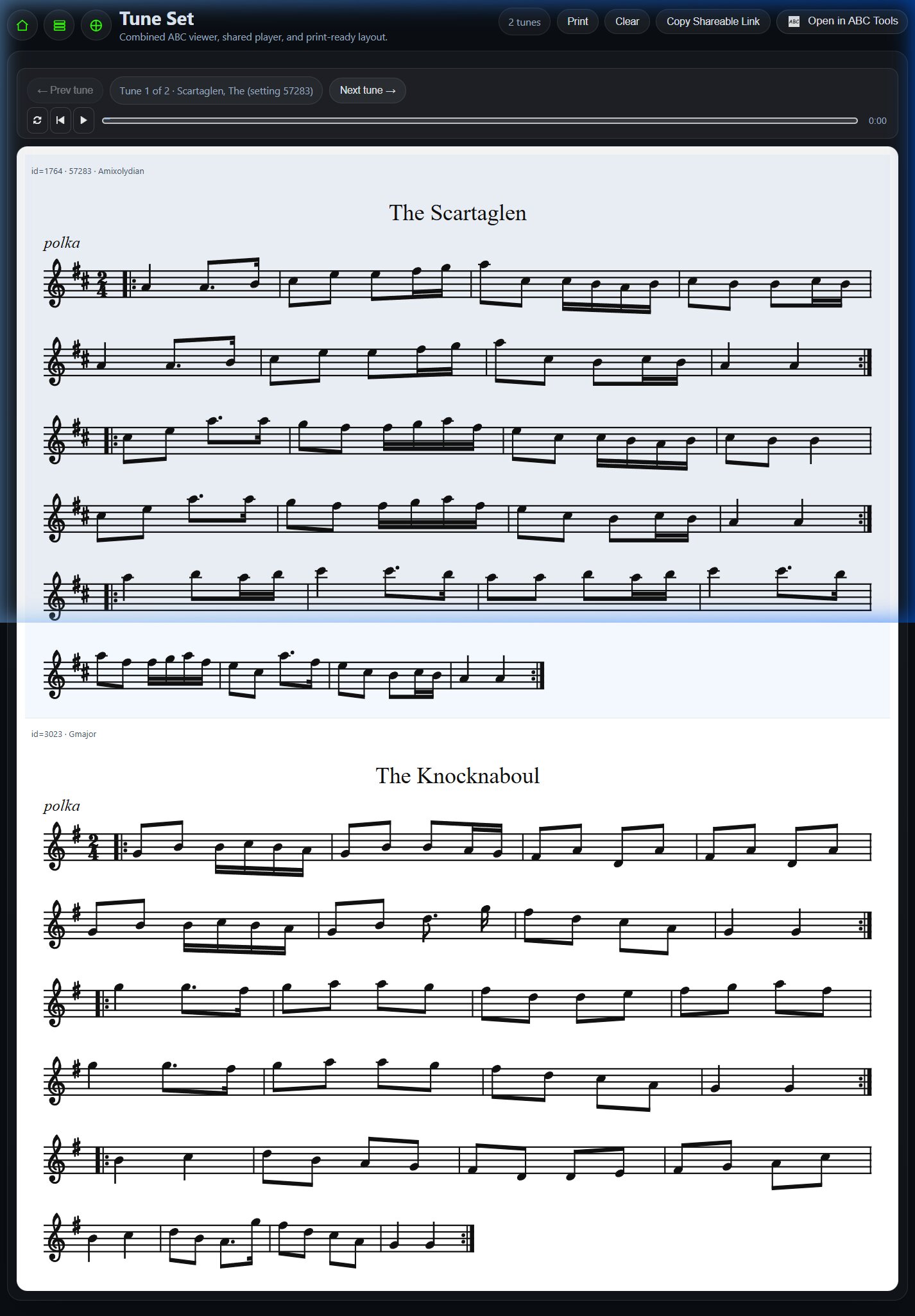
When you find a transition pair that catches your interest in the flow chart or the detail table below, simply click on the connecting ribbon or the tune links. The page will immediately load those two tunes in sequence in the Interactive Setlist Player, pre-configured with the correct setting modes (e.g., A Mixolydian for the first tune and G Major for the second).
From the Setlist Player, you can:
- Play along with synthesized MIDI audio to practice the transition in real-time.
- Adjust the playback tempo to practice the change slowly before speeding up.
- Print out the combined sheet music for your set.
Conclusion: Elevating Your Repertoire
Building sets is an art, but having access to session statistics makes it much easier to find combinations that flow naturally. By using the Mode Transition Detail tool, you can check which tune combinations are favored by other musicians, learn their notation, and test them out immediately in the Setlist Player.
Next time you practice, pick a starting tune, find a compatible mode transition, and see where the data takes your music!
Frequently Asked Questions
Why do some tunes have different names in the tool?
Many traditional Irish tunes are known by multiple aliases or regional names. The tool displays the primary name cataloged in the database, but you can see common setting names and sheet music titles when hovering or viewing the tune details.
Can I search for minor key transitions?
Yes. You can select "Minor" from the starting or target family dropdowns to search for minor key (Aeolian) transitions, such as E Minor to G Major or A Minor to D Mixolydian.
How is the transition count calculated?
The transition count represents the total number of times the specific tune pairing has been observed back-to-back in sets compiled by users of TheSession.org.
Can I use this tool to build sets of three or more tunes?
The Mode Transition Detail tool focuses on the bridge between two specific modes. However, you can chain transitions by looking at the target tune and searching for it as a source tune in a different transition, helping you build sets of three or more tunes.